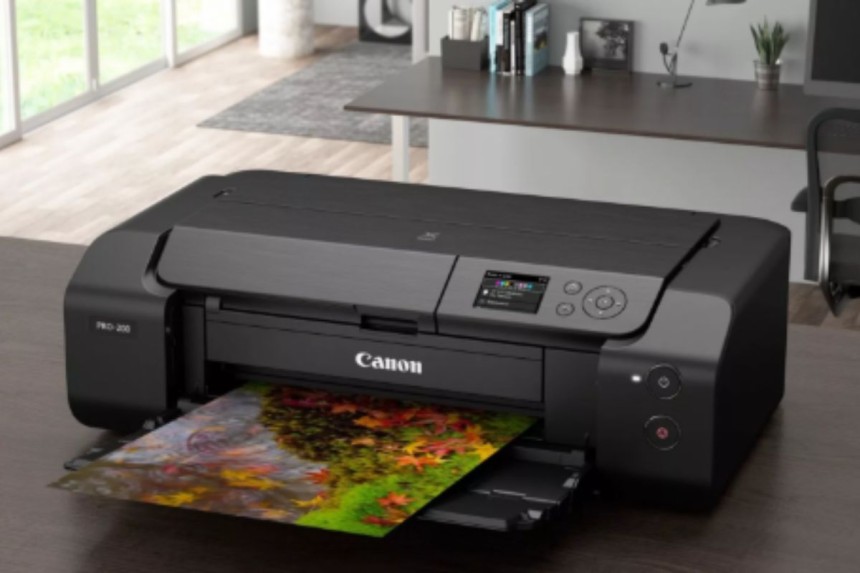

Canon Printer Offline: Easy Fixes for Windows and Mac
A Canon printer showing offline means it cannot communicate with your computer or network. Common causes include connectivity issues, outdated drivers, or incorrect settings. To fix it, check cables or WiFi, set the printer as default, clear print jobs, restart devices, and update drivers, restoring smooth printing functionality.
A Canon printer showing an offline status can be frustrating, especially when you need urgent printing. “Offline” means your computer cannot communicate with the printer. This issue can occur for several reasons, including connectivity problems, driver errors, or printer settings. Understanding the causes and following step-by-step solutions can quickly restore your Canon printer to online status.
Connectivity Issues:
If the printer is not properly connected via USB or WiFi, it may appear offline. Loose cables or weak WiFi signals are common causes.
Wrong Printer Settings:
Sometimes, the printer may be set to offline mode accidentally.
Outdated or Corrupt Drivers:
If the printer drivers are outdated or corrupted, the computer cannot communicate with the printer, leading to offline status.
Pending Print Jobs:
Stuck or paused print jobs in the queue can force the printer offline.
Firewall or Antivirus Blocking:
Security software may prevent the printer from connecting to your system or network.
Step-by-Step Solutions to Bring Canon Printer Online
1. Check Connections
For USB Printers: Ensure the USB cable is securely connected to both the printer and computer. Try using a different USB port or cable if necessary.
For WiFi Printers: Make sure the printer is connected to the same network as your computer. Weak WiFi signals or interference can cause the printer to appear offline.
Sometimes, Windows or macOS may try to print to another printer. Setting your Canon printer as default helps avoid this.
Windows:
- Go to Control Panel → Devices and Printers
- Right-click your Canon printer → Set as default printer
Mac:
- Open System Preferences → Printers & Scanners
- Select your Canon printer → Set as Default Printer
3. Clear Print Queue
Pending or stuck jobs may prevent printing.
Windows:
- Open Devices and Printers → Your Canon Printer → See what’s printing
- Cancel all jobs
Mac:
- Open Printers & Scanners → Open Print Queue
- Cancel all pending jobs
Restart the printer after clearing the queue.
A simple restart often resolves offline issues. Turn off the printer, wait 30 seconds, then power it on. Restart your computer as well.
Outdated or corrupt drivers are common causes of offline status.
- Visit ij.start.canon or Canon’s official website.
- Download the latest driver for your printer model.
- Install the driver following the on-screen instructions.
- Restart your printer and computer.
6. Disable Offline Mode (Windows)
Sometimes, printers are set to offline mode accidentally.
Steps:
- Open Devices and Printers
- Right-click your Canon printer → See what’s printing
- Click Printer menu → Uncheck Use Printer Offline
7. Check Firewall and Antivirus Settings
Firewall or antivirus software may block printer communication. Temporarily disable them and try connecting. If it works, add your Canon printer as a trusted device in the software settings.
For wireless Canon printers, resetting network settings can solve connectivity issues.
Steps:
- Go to Setup → Device Settings → Reset Settings → Reset Network Settings
- Reconnect the printer to your WiFi network using the correct SSID and password
9. Use Canon PRINT Inkjet/SELPHY App
For wireless setup, the Canon PRINT Inkjet/SELPHY app helps configure your printer automatically:
- Install the app on your smartphone
- Connect the printer to the WiFi network through the app
- Test printing to ensure the printer is online
Additional Tips
- Keep the printer firmware updated.
- Avoid connecting too many devices to the same WiFi network.
- Use a static IP for the printer to prevent IP conflicts.
- Ensure your router supports the printer’s WiFi frequency (usually 2.4GHz).
When to Contact Canon Support
If the printer still shows offline after trying all these methods, there may be a hardware or advanced software issue. Contact Canon customer support and provide your printer model, operating system, and details of the issue.
A Canon printer appearing offline is usually caused by connectivity issues, incorrect settings, or outdated drivers. By checking connections to WiFi network, updating drivers, clearing print queues, and using the Canon PRINT app, most offline problems can be resolved quickly. Following these steps ensures smooth printing and keeps your Canon printer online and functional.
Best cancer care treatment Hospitals India
Best cancer care treatment Hospitals India


How Experienced Mechanics Ensure Vehicle Reliability and Safety
Experienced Miranda mechanics understand how these systems interact and can identify devel...

Hospital Curtain Track Suppliers in India & Operation Theatre Technici...
Golden Touch Fusion CBD: How They Work, Expected Results, and Where to...
Introduction Golden Touch Fusion CBD Gummies are marketed as a cannabidiol (CBD) suppleme...