
9 Powerful Benefits of a Mobile Invoicing App
Discover 9 powerful benefits of a mobile invoicing app. Learn how Invoice Spark can simplify billing, client management, and invoice creation on Android.
Introduction
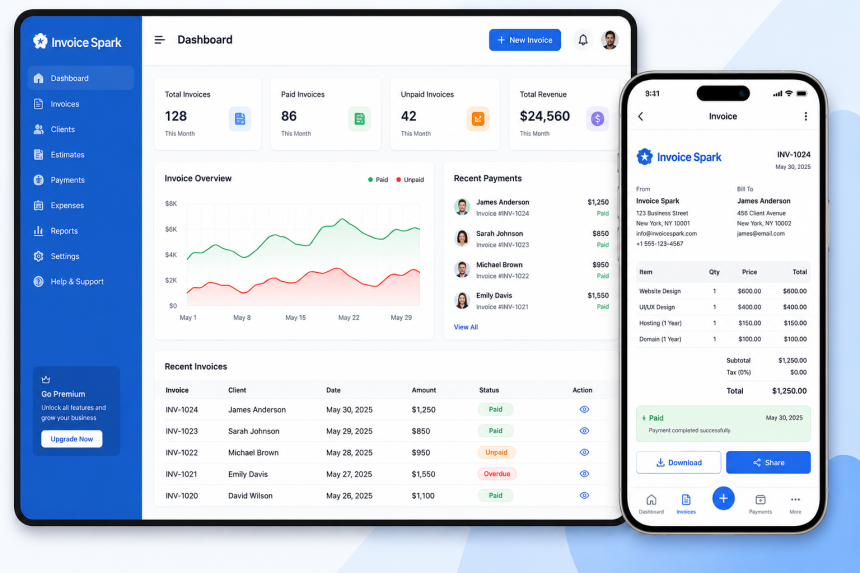
Amobile invoicing app can make everyday billing easier for freelancers, small businesses, and independent professionals. Instead of depending on paper invoices or a desktop computer, users can manage important invoicing tasks from a smartphone.
Mobile invoicing can help businesses save time, organize customer information, reduce repetitive data entry, and keep billing records accessible. An invoice maker for freelancers can be especially useful for independent professionals who manage their own clients, projects, and payments.
With Invoice Spark, businesses can build a simple digital invoicing workflow and make routine billing more convenient.
A mobile invoicing app is a software tool that allows users to create, manage, and organize invoices using a smartphone or other mobile device.
Depending on the features available, a mobile invoicing solution may help users:
- Create invoices
- Add customer information
- List products or services
- Calculate invoice totals
- Manage billing records
- Review previous invoices
- Share invoices digitally
- Organize customer information
The main purpose is to make invoicing more convenient while reducing unnecessary manual work.
Traditional invoicing can involve paperwork, spreadsheets, and repetitive data entry. These methods may work for some businesses, but they can become time-consuming as the number of customers and transactions increases.
Mobile invoicing can provide a more flexible approach.
Key benefits include:
- Faster invoice creation
- Convenient access from a smartphone
- Less repetitive data entry
- Better organization
- Easier invoice sharing
- Reduced paperwork
- Improved billing workflows
For freelancers and small businesses, these benefits can make routine administration easier.
One of the main advantages of mobile invoicing is flexibility. Business owners do not always work from an office or sit at a desk.
A mobile invoicing solution can allow users to prepare invoices while working from different locations.
For example, a freelancer may complete a project at a customer's location and prepare the invoice soon afterward. This can help reduce delays and keep billing connected to completed work.
Mobile access can be particularly useful for:
- Freelancers
- Contractors
- Consultants
- Small business owners
- Independent service providers
Preparing invoices manually can involve entering the same information repeatedly. Digital invoicing tools can make the process more structured.
Users can enter customer details, services, prices, and payment information in an organized workflow.
A faster invoicing process can help businesses:
- Reduce administrative work
- Send invoices sooner
- Avoid unnecessary paperwork
- Spend more time on customer work
- Maintain a consistent billing process
Speed should always be combined with accuracy. Before sending an invoice, users should check customer details, prices, totals, and payment information.
Freelancers often manage many parts of their business themselves. They may need to communicate with clients, complete projects, track payments, and handle invoices.
An invoice maker for freelancers can simplify the billing process by providing a structured way to create invoices.
A freelancer can typically follow a simple process:
- Add or select the customer.
- Enter the service or project details.
- Add prices or rates.
- Review the total.
- Add payment terms.
- Create the invoice.
- Send or save the invoice.
A repeatable workflow can reduce the time spent on routine billing.
Android smartphones are widely used for work and communication. An invoice app for Android can provide convenient access to billing tasks without requiring a desktop computer.
Depending on the app, users may be able to:
- Create new invoices
- Review invoice details
- Manage customer information
- Keep billing records
- Share invoices digitally
- Check previous transactions
Mobile access can be especially helpful for professionals who frequently work outside an office.
Invoice Spark can be part of a digital invoicing workflow designed to make everyday billing more convenient.
Repeated typing can take up a significant amount of time when businesses create many invoices.
Digital invoicing can help reduce repetitive work by allowing commonly used information to be organized for future use.
For example, businesses may regularly work with the same customers or provide the same services. Having this information readily available can make future invoices easier to prepare.
Benefits may include:
- Less typing
- Fewer repetitive steps
- More consistent information
- Lower risk of manual entry mistakes
- Faster invoice preparation
Always review saved information before sending an invoice to ensure that it is correct for the current transaction.
Customer information is an important part of invoicing. Searching through notes, messages, or separate documents can make billing more difficult.
A digital invoicing workflow can help businesses keep relevant customer information organized.
Having customer information available can make it easier to:
- Select the correct customer
- Prepare invoices
- Review previous transactions
- Maintain consistent billing details
Good organization can also reduce the chance of entering incorrect customer information.
Fast invoicing is useful, but accurate billing is even more important.
A structured invoicing process can help users review important details before an invoice is sent.
Always check:
- Customer name
- Invoice number
- Date
- Services or products
- Quantity
- Price
- Taxes
- Discounts
- Total amount
- Payment terms
- Due date
A quick review can help identify errors before they reach the customer.
Delaying invoices can make billing less organized. When invoices are prepared soon after work is completed, businesses can keep their billing process more consistent.
Mobile access can make it easier to prepare an invoice when the necessary information is available.
A simple routine can be:
- Complete the work.
- Confirm the amount.
- Create the invoice.
- Review the details.
- Send the invoice.
- Save the record.
This approach can help prevent invoices from accumulating at the end of the week or month.
Creating an invoice is only one part of effective invoicing. Businesses should also keep appropriate records of their transactions.
Digital records can make it easier to find previous invoices and review billing information.
Organized records may help businesses:
- Check previous transactions
- Answer customer questions
- Review payment status
- Track billing activity
- Prepare financial information
- Maintain business records
Businesses should follow applicable accounting, tax, and record-keeping requirements when storing invoices.
A mobile invoicing app is a digital tool that allows businesses and freelancers to create, manage, and organize invoices using a smartphone or mobile device.
Is a mobile invoicing app useful for freelancers?Yes. It can help freelancers create invoices, manage customer information, organize billing records, and handle invoicing while working from different locations.
What is an invoice maker for freelancers?An invoice maker for freelancers is a tool designed to help independent professionals prepare invoices by adding client, service, pricing, and payment information.
Can I create invoices on Android?Yes. An invoice app for Android can allow users to create and manage invoices from an Android smartphone, depending on the features provided by the app.
How can mobile invoicing save time?Mobile invoicing can reduce repetitive data entry, provide reusable customer information, simplify invoice creation, and allow users to manage billing without relying on a desktop computer.
Are digital invoice records useful?Yes. Digital records can make it easier to find previous invoices, review transactions, answer customer questions, and maintain organized business records.
How does Invoice Spark help with invoicing?Invoice Spark can support a digital invoicing workflow by helping businesses organize billing information and simplify routine invoice-related tasks.
A mobile invoicing solution can make billing more convenient for freelancers, small businesses, and independent professionals. It can help users create invoices from different locations, reduce repetitive data entry, organize customer information, and maintain digital billing records.
An invoice maker for freelancers can simplify routine billing tasks, while an invoice app for Android can provide convenient mobile access. Invoice Spark can also support a structured digital workflow for everyday invoicing.
For more detail visit:


What a Grain Is, and Why 50, 55, 62, 130 and 168 Keep Showing Up on th...
A grain is 1/7000 of a pound. Choosing a bullet weight is mostly a matter of what your bar...


Furadeira de Impacto: Como Escolher, Utilizar e Aproveitar Seus Benefí...
Furadeira de Impacto: Como Escolher, Utilizar e Aproveitar Seus Benefícios