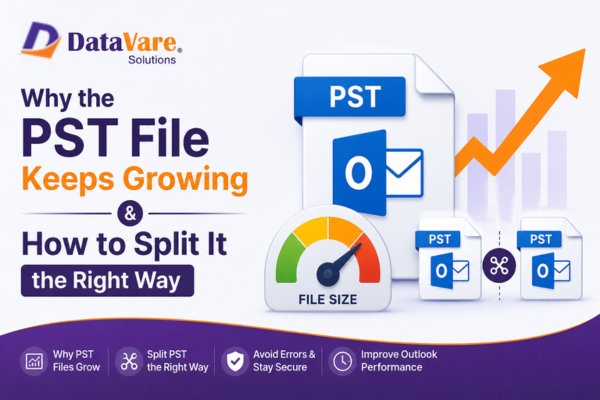

Why the PST File Keeps Growing & How to Split It the Right Way
Introduction
Almost all companies use Outlook at this time, and Outlook has become a part of personal and company workflow. The common issues that all Outlook users are facing are related to PST file storage. When the PST file becomes too large, Outlook can slow down, hang, or crash. Sometimes, email sending and receiving can even stop.
The solution to this problem is to split PST files into different parts, which makes the work easy for the users. In this blog, all the details will be explained, including the right ways to split PST files, what the steps are, their features, etc.
What are the reasons why the PST file keeps growing?- The PST database size will grow as incoming emails continue to accumulate.
- As well as taking up a lot of room on the PST side for large file attachments, PDFs, images, and media files take up a large amount of space on your PST.
- Deleted Items and Junk Email folders are not frequently emptied and retain data that is no longer needed.
- There are no longer any Auto-archive settings activated to move older items over to a separate archived PST location.
- Problems with synchronization, the import/export process, or improper Outlook rule settings can lead to duplicate emails.
What are the right ways to split PST files?
There are two ways to split PST files
- Manual Method
- Automatic Method
This is a free way of splitting PST files into multiple PST files. But this is quite a time-consuming way. It becomes difficult to operate for non-technical users. It's also risky. These steps are easy to follow. Heavy data can cause errors.
Method 1: Archive Features
- Outlook → File → Info → Tools → Clean Up Old Items
- Archive by Date → PST will be separated into smaller parts.
Limitation:
Date-based split only. There is no size/folder/year-wise control.
✔ Method 2: Move to New PST
- Create a new PST file
- Shift emails by manually dragging and dropping.
Limitation:
It takes a lot of time, and there is a chance of data loss.
✔ Method 3: Import/Export Option
- File → Open & Export → Import/Export
- You can create a new PST by exporting specific folders.
Limitation:
Size-based split is not possible. Repetition and duplicates can occur.
Automate Method to Split PST FilesThis is the Automate way to split your PST file into different parts. This is a professional way to divide your PST data into various parts by using the DataVare Outlook PST Split Expert. Struggling with heavy PST data? This tool splits files with a single click, maintains data integrity, operates without Outlook, and handles all Outlook file versions, ANSI and UNICODE.
This software intelligently scans and analyzes its structure and divides it into different, smaller parts without disturbing the original data hierarchy. This tool is compatible with ANSI and UNICODE PST formats and supports all Microsoft Outlook versions. It ensures that all the emails, attachments, metadata (To, From, Cc, Bcc), and properties of all the data remain intact after splitting. It can handle large PST files, even above 50GB, and process them quickly without corruption or interruption. This automated method is ideal for professionals and organizations that require reliable PST management, improved Outlook performance, and reduced risk of file corruption.
Steps to split PST data with the Tool
1: First, you just need to install the application
2: Open the DataVare PST Split Expert in your system
3: Click the browser option and add your PST files
4: Choose the Split type -By Size, Date, Folder, Year
5: Choose the destination location to save your PST data.
6: Now, click on the Split Now Option
Key Features
- Split large PST files: It can easily split a large PST file without harming the format.
- Offers Filter option: It provides an option to split your data by size, By Folder, and by year
- Support Outlook file: It also supports ANSI and UNICODE PST files
- No Outlook install: Users don’t need to install any third-party application
- Compatible with Outlook Versions: Supports all the versions of Outlook, like 2003, 2010, 2013, 2016, 2021, and more.
FAQs
Does it protect PST data after splitting?
Yes, it protects all the data after splitting
Does it support Windows Versions?
Yes, it supports all the versions of Windows, like 11, 10, 8, 8.1, 7, XP, Vista, and more.
Is there a demo version available?
Yes, it provides a demo version of this software
ConclusionLarge PST files can diminish the performance of Outlook and create a higher risk for corruption, causing a loss of productivity. Manual PST splitting is a slow process and often fails to provide consistent productivity with high data volumes. Expert solution was designed a simple yet effective method that automatically splits oversized PST files into smaller file sizes without the risk of losing any of the data contained in these PSTs. With multiple split methods available through our PST Split Expert Software, users can easily manage mailboxes in a manner that will result in optimal usage of their Outlook account. With our PST Split Expert Software, users will benefit from improved performance through better organization of data over time. Ultimately, this level of organization will create a more stable environment for their Outlook account.



Dish Network Installers Near Me: Expert Satellite Dish Setup in Sharja...