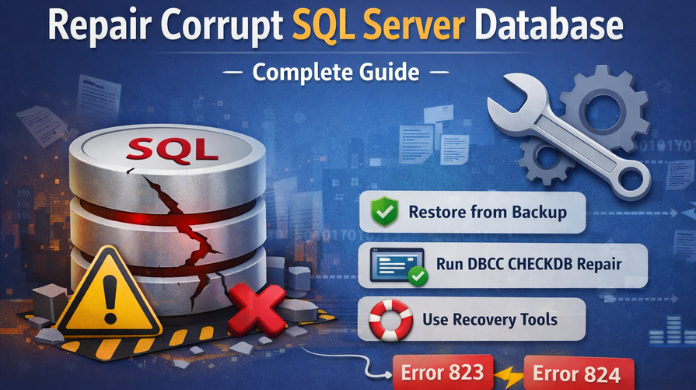

Learn the Best Ways to Repair Corrupt SQL Server Database Professionally
Learn how to repair a corrupt SQL Server database. Discover causes, solutions, DBCC repair methods, and how to fix SQL Server errors 823 and 824 safely.
Repair Corrupt SQL Server Database – Complete Guide
Database corruption in Microsoft SQL Server can lead to data loss, application downtime, and serious operational issues. When a database becomes corrupted, users may experience unexpected errors, inaccessible tables, or even a complete failure to bring the database online. In this guide, we will explore what SQL Server database corruption is, why it occurs, common symptoms, and the best methods to repair a corrupt SQL Server database safely.
What is SQL Server Database Corruption?
A corrupt SQL Server database occurs when the data stored in database files (.MDF, .NDF, or .LDF) becomes inconsistent, damaged, or unreadable. This prevents the database engine from correctly processing queries and maintaining data integrity.
Corruption may affect:
- Data pages
- Index pages
- Allocation structures
- Transaction logs
- Entire database files
When corruption occurs, SQL Server may return errors while accessing or validating database pages.
Common Signs of SQL Server Database Corruption
You may notice several warning signs when a database becomes corrupted:
- Queries failing unexpectedly
- Tables becoming inaccessible
- SQL Server services crashing
- Database marked as Suspect or Recovery Pending
- Data inconsistency issues
- Database failing integrity checks
- Frequent I/O related errors
One of the most common indicators of corruption is SQL Server I/O errors such as 823 and 824.
Common Causes of SQL Server Database Corruption
Understanding the causes helps in preventing future corruption.
- Hardware Failures: Disk failures, faulty storage controllers, or bad sectors can damage database files during read/write operations.
- Sudden System Shutdown: Unexpected power outages or system crashes may interrupt active transactions and corrupt database pages.
- Faulty Disk Subsystem: Storage devices that fail to properly write data may introduce inconsistencies in database files.
- SQL Server Bugs or Software Issues: Rare software bugs or misconfigured updates can sometimes lead to corruption.
- Improper Database Shutdown: If SQL Server stops abruptly during transaction processing, the transaction log may not complete its recovery process.
- Virus or Malware Attacks: Malicious software can interfere with database files and cause corruption.
How to Repair a Corrupt SQL Server Database?
Below are the most reliable methods to repair SQL Server database corruption.
1. Restore Database from Backup
The safest way to repair corrupt SQL Server database is to restore it from a clean backup.
Steps include:
- Identify the most recent valid backup
- Restore the full backup
- Apply differential or log backups if available
- Verify database integrity
Advantages:
- No data manipulation required
- Maintains database consistency
- Lowest risk of data loss
However, this method is only possible if a recent backup exists.
2. Run DBCC CHECKDB to Detect and Repair Corruption
SQL Server provides an inbuilt command called DBCC CHECKDB command that detects and repairs corruption.
This command:
- Checks allocation structures
- Validates table consistency
- Detects damaged pages
- Identifies logical corruption
It can also attempt repairs when corruption is found. However, repair operations may remove corrupted data pages, which can result in partial data loss.
3. Use Emergency Mode Repair
When the database cannot be accessed normally, SQL Server allows enabling Emergency Mode.
Emergency mode:
- Bypasses transaction log recovery
- Allows read-only access to the database
- Helps administrators extract critical data
After enabling emergency mode, database administrators can run repair commands to rebuild damaged structures.
4. Clear Transaction Log Issues
Sometimes corruption occurs due to damaged or excessively large transaction logs, preventing the database from recovering properly.
In such cases, administrators may need to:
- Reset or rebuild the transaction log
- free unused log space
- resolve log inconsistencies
5. Repair Corrupt SQL Database Using Professional Tools
When built-in SQL Server repair methods fail or risk data loss, a professional solution like SysToolsSQL Data Recovery tool can help repair severely corrupted database files.
These tools typically:
- Repair damaged MDF and NDF files
- Recover deleted database objects
- Restore tables, indexes, triggers, and views
- Extract data from inaccessible databases
- Handle severe corruption scenarios
Using a specialized recovery solution is often the most reliable approach when corruption is severe or backups are unavailable.
Best Practices to Prevent SQL Server Database Corruption
Prevention is always better than recovery. The following practices help reduce the risk of corruption.
- Maintain Regular Backups: Always maintain full, differential, and log backups.
- Run Integrity Checks Regularly: Schedule DBCC CHECKDB periodically to detect issues early.
- Monitor Disk Health: Use storage monitoring tools to identify disk failures before they affect databases.
- Use Reliable Hardware: Enterprise-grade storage solutions help reduce corruption risks.
- Protect Against Power Failures: Install UPS systems to prevent abrupt shutdowns.
- Maintain Transaction Log Health: Regularly manage log size and ensure log backups are running.
When Should You Use a SQL Recovery Tool?
A professional recovery tool becomes necessary when:
- No valid backup exists
- DBCC CHECKDB fails to repair corruption
- Database remains in Suspect state
- Critical tables become inaccessible
- Severe page-level corruption occurs
In such situations, recovery tools can reconstruct database objects without damaging existing data.
Conclusion
SQL Server database corruption can disrupt business operations and lead to serious data loss if not handled correctly. The key to resolving corruption is early detection, proper troubleshooting, and choosing the right repair approach.
While restoring from backups and running DBCC CHECKDB are common solutions, severe corruption may require advanced SQL recovery tools to safely repair database files and recover critical data.
By following best practices such as regular backups, storage monitoring, and integrity checks, organizations can significantly reduce the chances of database corruption and ensure smooth SQL Server operations.
Buy Zelle Account Black Market Research: The Ultimate Expert Guide
Buy Zelle Account Black Market Research: The Ultimate Expert Guide The rise of peer-to-pe...
Buy Facebook Ads Account Legality Analysis: The Complete Expert Guide
Buy Facebook Ads Account Legality Analysis: The Complete Expert Guide Running ads on Face...
How Buying Facebook Ads Accounts Can Boost Your Campaigns Safely in 20...
How Buying Facebook Ads Accounts Can Boost Your Campaigns Safely in 2026 In the fast-pace...
Buy Zelle Account Access Fraud Stories: The Complete Expert Guide
Buy Zelle Account Access Fraud Stories: The Complete Expert Guide Digital payment platfor...
Buy Facebook Ads Account Fraud Awareness: The Ultimate Guide
Buy Facebook Ads Account Fraud Awareness: The Ultimate Guide In today’s digital marketing...