PUBG Mobile 3.9: Breakthrough with Transformer generation
Discover the unique Transformer generation in PUBG Mobile 3.9 Update with a completely new and exciting combat experience.
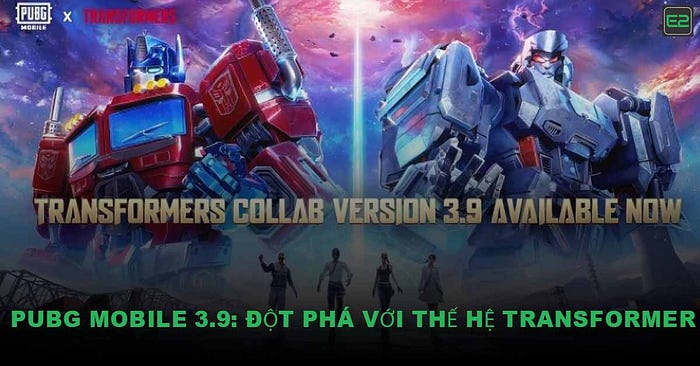
In July 2025, the global gaming community welcomed one of the most popular updates ever — PUBG Mobile 3.9 . With the first collaboration between the world’s leading survival game and the famous Transformer movie franchise , this update not only upgrades graphics and features, but also brings a completely new combat experience. Below is the most detailed article about PUBG Mobile 3.9 with installation instructions for Android, iOS, APK file download, and all the outstanding content in this update.
PUBG Mobile 3.9 Update Overview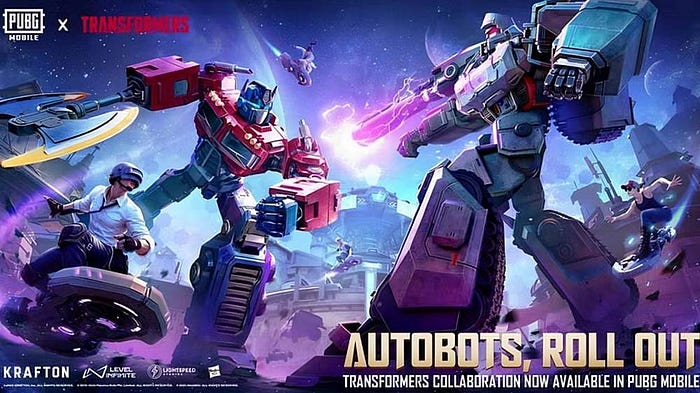
PUBG Mobile 3.9 is not just a regular bug fix or feature upgrade. This is a large-scale update, marking the collaboration between Tencent and the legendary Transformer series . The update brings a series of exclusive content never seen before:
- Character skins featuring Optimus Prime, Bumblebee, and Megatron appear.
- New transforming robot vehicle with cool effects.
- High-tech weapons like plasma guns, laser rockets.
- A special game mode called “Transformer Warzone” allows players to transform into robots and fight.
The combination of survival world and future technology has made PUBG Mobile 3.9 the most sought-after update in the second half of 2025.
PUBG Mobile 3.9 Release Date and Time
Below is a detailed table of PUBG Mobile 3.9 update schedule by region:
AreaUpdate dateRelease date (expected)Vietnam, Korea07/07/2025Early morning (local time)Global08/07/202507:00–10:00 am
- Vietnam and Korea regions are prioritized for early updates for testing and feedback.
- International users can update from the morning of July 8 local time.
PUBG Mobile 3.9 is released simultaneously, however the time to display the “Update” button on App Store/CH Play may vary slightly between devices.
First Experience When Opening PUBG Mobile 3.9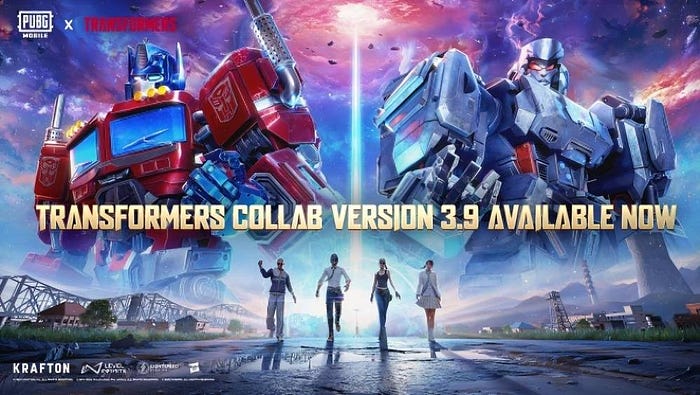
As soon as the game opens after the update, players will be greeted by a vibrant Cybertron interface — the symbol of the Transformer world.
- New welcome interface : Colorful sci-fi, smooth animation.
- Character skins : Optimus Prime, Bumblebee and Megatron are extremely detailed.
- Robotic vehicles : buggies, transforming motorcycles, even Transformer-style mini planes.
- New weapons : Plasma guns, laser missiles, high-tech bombs with distinctive robot sounds.
- New Mode — Transformer Warzone : Players can choose to transform into giant robots or fight them.
The blend of survival elements and sci-fi technology creates a completely new PUBG world.
PUBG Mobile 3.9 Update Guide On Android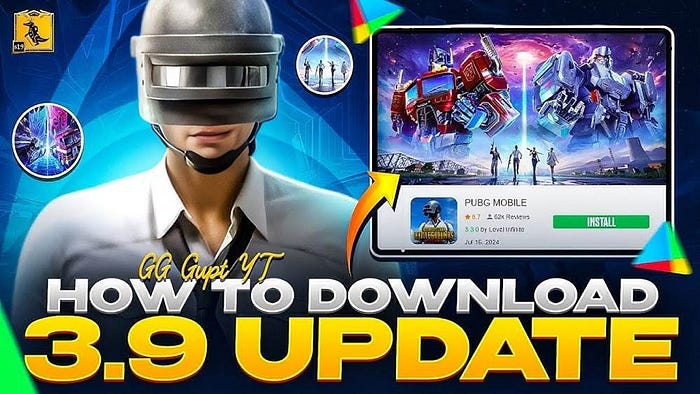
To experience PUBG Mobile 3.9 on Android devices, follow the steps below:
Step 1 — Check on CH Play:- Open Google Play Store .
- Search for keyword “PUBG Mobile”.
- If an “Update” button appears , click it.
- Click Update .
- Make sure your WiFi network is stable for fast downloads.
- Capacity about 800MB — 1GB.
- After installation is complete, click “Open” .
- Explore the new content of PUBG Mobile 3.9 now .
iPhone and iPad users can follow these steps to install PUBG Mobile 3.9 :
Step 1 — Go to App Store:- Open App Store .
- Search for “PUBG Mobile”.
- Click “Update” if available.
- If you don’t see it, try swiping down to refresh the interface .
- Open the game after the update to see the Transformer effect and try out Warzone mode.
In case CH Play does not show the update, you can install the official APK from the PUBG Mobile homepage:
Download and installation instructions:- Visit the official PUBG Mobile homepage .
- Go to Download APK PUBG Mobile 3.9 .
- Click Download and save to your device.
- Open the APK file and enable installation from unknown sources .
- Install normally and open the game.
🔒 Note : Do not download from third-party sources to avoid losing your account or being banned.
Transformer x PUBG Update Highlights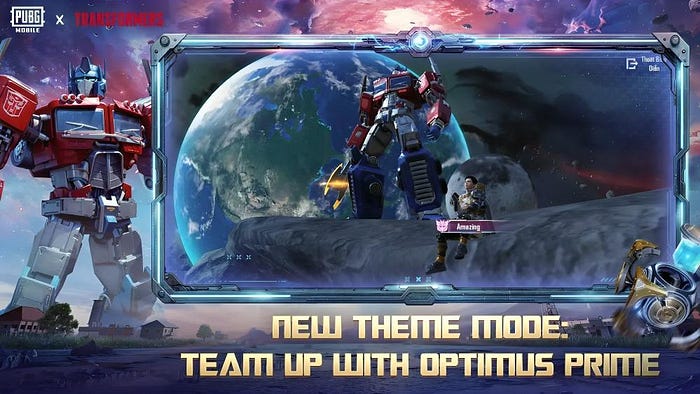
- Transformer skins like Optimus Prime and Bumblebee have extremely detailed animations.
- Special weapons like Laser Gun , Plasma Rocket come with fancy lighting effects.
- Buggy turns into robot when accelerating.
- Mini flying robot can support teammates.
- Can destroy buildings to open up combat.
- Transform into a giant robot with wide-area attack capabilities.
- Features of defending bases and occupying maps appear.
- Maps with transformer stations and robot towers spawn randomly.
- Capes, backpacks, Autobot and Decepticon icons for lobby, battle room area.
- When transforming into a robot, speed and power increase greatly but are easily detected . Use the stealth button and zigzag movement.
- Robots break through obstacles quickly , using them to create tactical paths.
- Combine regular and plasma weapons flexibly depending on the situation.
- Delete old cache files and unused applications.
- Make sure you have at least 3–4GB of free memory.
- Turn off advanced effects if your computer has low configuration to avoid FPS drops when playing robot mode.
- The update may not have reached your region yet. Please wait a few hours or use the APK file.
- No, if you download from PUBG Mobile homepage and do not use mod or hack .
- Maybe. Keep graphics on Balanced , turn off advanced robot effects .
There is no denying that PUBG Mobile 3.9 is one of the most groundbreaking updates in the history of the game series. The combination with Transformer has elevated the experience from a normal survival game to a futuristic world full of action and technology.
If you are a PUBG fan or a Transformers fan, PUBG Mobile 3.9 is definitely a gift you cannot miss. Update today and join your friends in the extremely eye-catching robot mode — where strategy, speed and creativity are pushed to new heights.
What’s new in PUBG Mobile 3.9?The update brings Transformer skins like Optimus Prime, plasma weapons, transforming vehicles, and a special “Transformer Warzone” game mode.
Go to CH Play, search for “PUBG Mobile”, click “Update”. If you don’t see it, you can download the APK file from the official homepage.
No, as long as you download from PUBG Mobile homepage and don’t use mods or hacks , your account is safe.