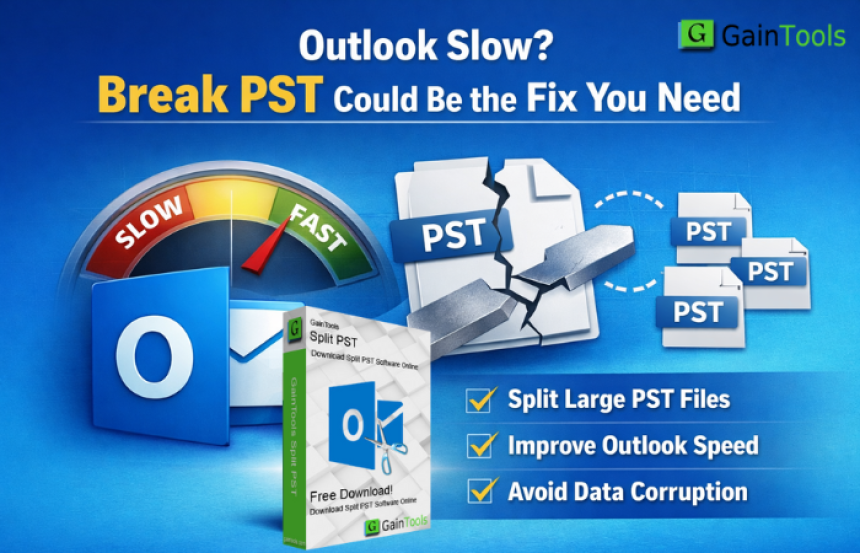

Outlook Slow? Break PST Could Be the Fix You Need
Microsoft Outlook is one of the most used email software among organizations and consumers. It allows you to organize your emails, contacts, calendars and other tasks all in one location. However, with time, many users report that Outlook gets slow, freezes frequently or even crashes. If you are experiencing these troubles, your large PST file could be the root cause.
In this blog, we will describe why Outlook slows down, how to break PST files can solve the problem, a manual approach for splitting PST files and why utilizing the advanced software is a better and safer option.
Why Does Outlook Slow Down?
Outlook saves mailbox information in a file called PST (Personal Storage Table). This file continues to develop as you send and receive emails, add attachments and save old ones. When the PST file is too large, Outlook begins showing difficulties such as
- Slowly opening and closing
- Delays while sending or receiving emails
- Frequent freezing or hanging.
- Errors with email inquiries
- PST files are at risk of corruption.
Microsoft itself recommended that PST files be kept to a safe size. Large PST files are more difficult for Outlook to manage, resulting in slower performance.
Splitting a PST file can help.
Splitting a large PST file into smaller sections can significantly improve Outlook performance. When the size of the PST file is reduced
- Outlook loads up faster.
- Email searches become easier.
- Corruption risks are reduced.
- Backup and administration have gotten easy.
Outlook performs better when using multiple smaller PST files than with one large PST file. PST splitting comes in useful in this situation.
Manually splitting a PST file in Outlook
Outlook does not have a direct "Split PST" option, but you can minimize PST size manually by creating a new PST file and putting data into it. This is a basic manual method
Step-by-step Manual Method:
- Launch Microsoft Outlook.
- Click to File > Account Settings > Account Settings
- Open the Data Files tab.
- To create a new PST file, click Add.
- Name the new PST file and specify its location.
- Click “OK.”
- Go back to your mailbox folders.
- Drag & drop emails, folders, or things from the previous PST file to the new one.
- Repeat until the initial PST size is lowered.
The limitations of the manual method are
- Large mailboxes might be time consuming
- Possibility of human error
- No splitting depending on size or date
- Not intended for non-technical users
- There is no guarantee of full data accuracy
If you have thousands of emails, this process could take hours or even days. That is why so many users prefer a professional service.
Why Use the Professional Split PST Tool?
The GainTools Split PST Tool is intended to assist Outlook users in seamlessly break PST files. It is a simple method for increasing Outlook performance. The software is compatible with Windows OS all editions and supports ANSI and UNICODE PST files. It offers a complimentary demo version to check out the software few feature before buying the full license.
Key Features
- You can break PST files into smaller pieces based on their size.
- Use the date range settings to separate old and new emails.
- Create separate PST files for each folder such as Inbox and the Sent Items.
- All emails, attachments, contacts and calendar entries are kept intact.
- Compatible with Outlook 2024, 2021, 2019, 2016, 2013 and previous versions.
- There is no technical knowledge necessary. The instrument is suited for novices.
- Split PST files without damaging the original contents.
How the Software Works
- Using the GainTools Split PST Tool is quite simple
- Download and install the tool in your system
- Launch the software
- Include the PST file you want to split
- Select the Split option (by size, date or folder)
- Choose the destination location
- Click the Split Now button to divide the PST file
Within a few minutes, your large PST file will be broken into smaller, more manageable PST.
Advantages
Improves Outlook speed and performance
Reduces the likelihood of PST corruption
Saves time when compared to manual procedures
Ensures full data security
Ideal for home users and businesses
Whether you are maintaining a personal mailbox or dealing with enormous amounts of Outlook data in an enterprise, this tool makes the process easier and less stressful.
Final thoughts
If Outlook is slow, frozen, or not responding properly, it could be due to a large PST file. Splitting the PST file is one of the simplest and most effective solutions to address Outlook performance concerns. While the manual method works for a few mailboxes, it is difficult for large or sensitive information.
The Split PST Tool is a straightforward, secure and professional solution for breaking large PST files into smaller portions. It improves Outlook performance, protects your data and saves you time.
Semichemical Fluting Price Trend Q3 2026 | Global Price Trends, Foreca...



TR88 Explained: A Beginner-Friendly Guide to Common Online Gaming Term...
MG Poster Paper Price Trend Q3 2026 | Global Price Trends, Forecast, C...

GO8 and the Evolution of Online Gaming: From Simple Pastimes to Digita...