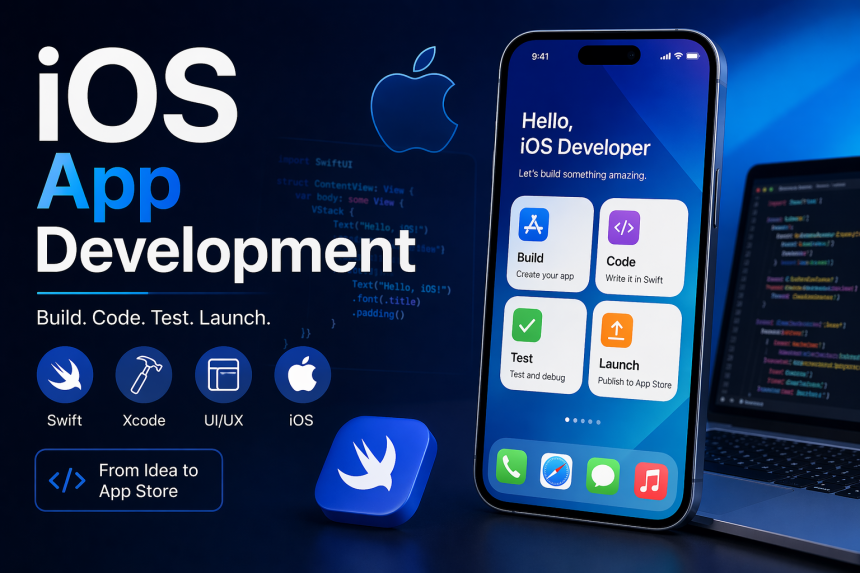

iOS App Development Guide for Beginners Step by Step 2026
Learn iOS App Development from scratch with this beginner-friendly step-by-step 2026 guide. Build, test, and launch powerful iPhone apps easily and fast.
Mobile applications have become an essential part of daily life, powering everything from communication and entertainment to education, banking, and business operations. Among all platforms, Apple’s ecosystem stands out for its strong performance, security, and premium user experience. Because of this, learning how to build applications for Apple devices has become a highly valuable skill for developers around the world.
For beginners, entering this field may feel complex at first, but with the right guidance and structured learning path, it becomes much easier to understand. Modern tools, simplified frameworks, and powerful programming languages have made app creation more accessible than ever before.
In 2026, the demand for skilled mobile developers continues to grow as businesses expand their digital presence. Whether you are a student, freelancer, or aspiring software engineer, learning app development for Apple devices can open doors to exciting career opportunities, freelance projects, and even startup ideas.
This guide will walk you through everything from basic concepts to advanced practices, helping you build a strong foundation step by step.
Understanding Mobile App Creation
Before writing any code, it is important to understand what mobile application development actually means. It is the process of creating software that runs on smartphones and tablets, designed to deliver specific functionality and user experience.
Apple devices use a closed ecosystem, which means developers must follow specific guidelines and use Apple-approved tools. This ensures high-quality performance and security standards across all applications.
Unlike general web development, mobile apps require deeper attention to performance optimization, touch-based interactions, battery usage, and device compatibility. This makes learning structured and platform-specific development essential.
Tools and Technologies You Need
To start building applications for Apple devices, you need to become familiar with the essential tools and technologies used in the ecosystem:
1. Programming Language
Swift is the primary language used for building modern Apple applications. It is fast, safe, and beginner-friendly compared to older languages.
2. Development Environment
Xcode is Apple’s official integrated development environment (IDE). It includes everything you need to design, code, test, and publish apps.
3. User Interface Framework
SwiftUI is a modern framework that allows developers to create beautiful and responsive user interfaces with less code.
4. Simulator
Xcode provides a built-in simulator to test apps on different Apple devices without needing physical hardware.
5. Version Control
Git is widely used to manage code changes and collaborate with other developers.
Understanding and practicing these tools will form the backbone of your development journey.
Setting Up Your Development Environment
The first practical step is installing Xcode on your Mac system. Once installed, you can explore templates for different types of applications such as games, utilities, and business apps.
Next, you should learn the basics of Swift programming. Focus on variables, functions, loops, conditionals, and object-oriented concepts. These fundamentals are essential before moving into app design.
After that, try building simple projects like calculators, to-do lists, or note-taking apps. These small projects help you understand how logic connects with user interfaces.
Practice is key. The more you experiment with code, the more comfortable you become with the development environment.
Learning Path for Beginners
A structured learning approach helps you avoid confusion and build skills in the right order:
Step 1: Learn Swift Basics
Start with syntax, data types, and basic logic building.
Step 2: Understand UI Design
Learn how screens are built using SwiftUI or Storyboards.
Step 3: Build Small Apps
Create simple applications to apply what you learn.
Step 4: Work with Data
Understand how to store and retrieve information locally.
Step 5: Connect APIs
Learn how apps communicate with servers to fetch data.
Step 6: Debug and Test
Fix errors and ensure your app runs smoothly.
Step 7: Publish Apps
Learn how to submit applications to the App Store.
Following this path helps you grow step by step without feeling overwhelmed.
Designing User-Friendly Interfaces
A successful application is not just about functionality but also about user experience. Apple strongly emphasizes clean and intuitive design.
Good design principles include:
- Simple layouts
- Clear navigation
- Consistent colors and fonts
- Smooth animations
- Responsive interactions
Users should be able to understand your app without confusion. A well-designed interface increases engagement and retention.
Core Development Process
Building mobile applications involves multiple stages, and each step plays an important role in creating a successful product.
First, developers start with planning and designing the idea of the application. This includes defining the purpose, target audience, and features of the app.
Next comes UI design, where layouts, buttons, and screens are created. After that, developers move to coding and backend integration.
In the middle of this entire workflow,iOS App Development becomes the core focus where developers actually bring the application to life using Swift and Apple frameworks. This stage includes writing logic, connecting APIs, managing data flow, and ensuring smooth performance across all Apple devices.
Finally, testing and optimization ensure the app works without bugs before it is published.
Backend and Data Management
Most modern applications require a backend system to store data, manage users, and process requests. You can use technologies like Node.js, Firebase, or cloud services for backend development.
Key concepts include:
- Databases (SQL and NoSQL)
- Authentication systems
- Cloud storage
- API integration
Learning backend skills makes your applications more powerful and scalable.
Carbon Fibre Price Trend Q2 2026 | Price Trends, Forecast, Chart, Pric...



How LED Channel Letter Signs Can Enhance Branding and Energy Efficienc...
Bagasse Pulp Price Trend Q2 2026 | Price Trends, Forecast, Chart, Pric...