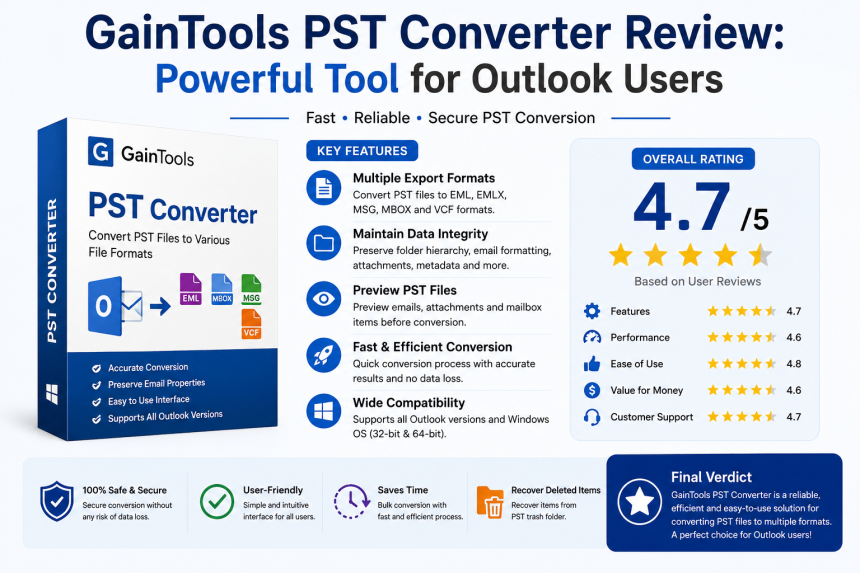

GainTools PST Converter Review: Powerful Tool for Outlook Users
When users need to transfer data to other email platforms or formats, managing Outlook PST files can get challenging. Users frequently need a dependable PST conversion solution, whether it's for backup purposes, moving to a different email client, or extracting crucial mailbox data.
We will look at the GainTools PST Converter Tool's features, advantages, system requirements, constraints, and trial version limitations in this comprehensive review. This review's objective is to give users accurate and fair information so they may determine if the program satisfies their email migration requirements.
Overview
Outlook PST files can be converted into a variety of file formats, including EML, EMLX, MSG, MBOX, and VCF, using the Windows-based program. The utility was created primarily for users who wish to access Outlook mailbox data in various email programs, such as Entourage, Thunderbird, Apple Mail, Windows Live Mail and others.
During conversion, the software focuses on maintaining mailbox integrity. The official product literature states that it preserves email formatting, attachments, folder hierarchy, and metadata during the migration process.
Both household and business users can utilize this lightweight program. Users with little technical expertise can execute conversions with ease because of its straightforward graphical user interface.
Important Features:
1. A variety of export formats
The software's ability to offer numerous export options is one of its greatest advantages. PST files can be transformed into:
- EML.
- EMLX.
- MSG
- MBOX
- VCF
- Other file formats
Outlook users can easily transfer data to different email clients and platforms thanks to this versatility. For instance, Thunderbird can import MBOX output, and Windows Live Mail and other programs handle EML files.
2. Maintains Formatting and Structure in Emails
When migrating emails, data preservation is crucial. The program asserts that it maintains the following:
- Folder structure
- The attachments
- The fields CC and BCC
- The subject line
- The header data
- Characters not in English
- Email formatting
This helps users prevent formatting problems or data degradation after conversion.
3. Preview Capabilities
Users can access the content of the PST mailbox prior to conversion. Folders, email items, and message information like sender, recipient, and attachments are shown in the preview window. Before starting the export procedure, this function is helpful for confirming specific files.
4. An easy-to-use interface
The UI is simple and easy for beginners to use. The conversion procedure mostly entails:
1. The PST file is added.
2. Viewing mailbox information
3. Choosing a format for output
4. Selecting the folder of destination.
5. Commencing the conversion
For non-technical users, the workflow's simplification lowers the learning curve.
5. Accommodates Several Outlook Versions
The program can handle PST files created with various Outlook versions, such as:
- 2021 Outlook
- 2019 Outlook
- 2016 Outlook
- 2013 Outlook
- 2010 Outlook
- 2007 Outlook
- Older versions of Outlook
It is appropriate for those dealing with legacy PST archives because of its wide compatibility.
Advantages
Simple Email Transfers
For users switching between email clients, the app makes PST conversion easier. Users can finish the procedure with a few clicks rather than having to export data by hand.
Preserves Data Correctness
During migration, it's crucial to maintain email attachments and structure. According to the published documentation, the program does a respectable job of preserving the original mailbox attributes.
Application for Lightweight
The installation file doesn't use a lot of system resources and is really compact. Because of this, it can be used with earlier Windows systems.
Beneficial for Huge Email Archives
Problems with accessing or moving very big PST files are frequently mentioned by users on discussion boards. When using manual methods, issues like folder corruption, import failures, or damaged folder structure are frequent.
Because they streamline the procedure and lessen manual labor, third-party tools like it are frequently chosen.
System specifications
Users should confirm that their system satisfies the minimal requirements before installing the software.
Operating System Assistance
The program allows for:
- 11 Windows
- 10 Windows
- 8.1 Windows
- 8. Windows
- 7. Windows
- Vista Windows
- Microsoft XP
It is compatible with both 32-bit and 64-bit settings.
Hardware specifications:
Processor speed: at least 1 GHz RAM: 512 MB minimum 100 MB of free space on the hard drive 1024 x 768 is the display resolution.
Since these are rather simple prerequisites, the program can operate on the majority of common Windows systems.
Limitations and Disadvantages
The tool has various limits that consumers should take into account before making a purchase, despite the fact that it includes many helpful functions.
1. A Windows-Only Program
The Windows operating system is the main target of the software's development. Alternative solutions or virtual Windows environments would be required for Mac users.
2. Limited Trial Versions
Users can export only 10 items per folder, which is not an adequate amount for a trial.
User Experience and Efficiency
For tiny and medium-sized PST files, the program functions fairly well. Beginners' perplexity is lessened by the step-by-step procedure and the interface's continued simplicity.
The complexity of handling big PST files by hand is frequently brought up in online conversations concerning PST management. Some users complain about problems including inaccessible archives with large PST files, Outlook crashes, and broken folder structures.
By offering organized export options and automated conversion, it tries to make these migration issues easier.
Final Opinion
This is a useful and easy-to-use tool for converting Outlook PST files into several formats. Preview functionality, mailbox property preservation, several export formats, and compatibility with various Outlook editions are just a few of the software's helpful features.
Although the 10-email-per-folder limit indicates that it is primarily meant for assessment rather than complete migration jobs, the trial edition offers a reasonable chance to evaluate the software before purchasing.
It is a good choice for Outlook data migration and backup management for customers looking for a lightweight, simple and dependable PST conversion solution for Windows systems.
From Squirrel to Moose: Matching Ten Cartridges to the Animal
From Squirrel to Moose: Matching Ten Cartridges to the Animal