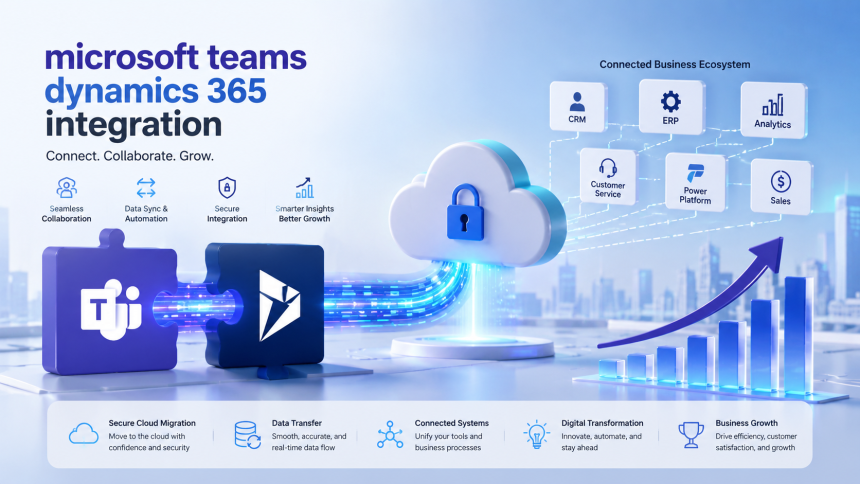

From Silos to Synergy: Uniting Teams and Dynamics 365 Integration
Learn how microsoft teams dynamics 365 integration connects CRM data with collaboration, covering migration, security, testing, and key business benefits.
A New Standard for How Customer Data Gets Used
Software adoption used to be measured by how often people logged into a system. That metric is outdated. The better question today is how naturally a tool fits into the moments where decisions actually get made, which for most companies means chat windows, video calls, and shared channels rather than dedicated CRM screens. When customer records are locked away from that environment, valuable context gets trapped in a place people only visit occasionally. Bringing CRM data directly into the collaboration space flips that dynamic, letting information surface exactly when and where it's needed instead of requiring a deliberate detour to go find it.
Mapping Out the Migration Before Any Switches Get Flipped
A dependable rollout starts with a plan built around how the organization actually functions, not a generic checklist. That means identifying which teams will draw the most value from having CRM context visible in their channels, which types of records deserve that visibility, and how existing team and channel structures in Microsoft 365 need to evolve to accommodate it cleanly. For companies coming from an older CRM system or an on-premises Dynamics deployment, sequencing matters: the core platform should be stable and fully transitioned before any collaboration layer gets added on top. Including a defined pilot period with structured feedback, rather than jumping straight to a full launch, gives technical teams a chance to correct course early, when adjustments are still inexpensive.
Making Sure the Data Underneath Is Actually Trustworthy
None of the collaboration benefits matter much if the data being surfaced is unreliable, which is why data migration deserves dedicated attention rather than being treated as a quick technical step. Duplicate contacts, incomplete records, and unclear account ownership become far more disruptive once visible to an entire team inside a shared channel, compared to sitting quietly in a private CRM view. Before go-live, organizations should audit and clean their datasets, verify that historical activity, notes, and attachments carry over intact, and confirm field mappings are accurate between the source system and Dynamics 365. Businesses merging data from multiple regions or legacy tools should finish and thoroughly validate this work before extending any collaborative visibility on top of it.
The Practical Shape of the Integration Itself
In real-world use, a microsoft teams dynamics 365 integration is built primarily on native Microsoft connectors and a shared identity system rather than custom-coded bridges, which keeps it more dependable and simpler to maintain going forward. Teams gain the ability to pin specific CRM records or filtered views directly into a channel, giving everyone a live, shared reference rather than a screenshot that goes stale the moment it's sent. Records can be searched and referenced right inside an ongoing conversation, and entire channels can be linked to a particular account or opportunity so discussion naturally stays anchored to the relevant deal. Layering in automation extends the value further, with Power Automate routing approvals and alerts into channels and embedded Power Apps giving teams custom interfaces suited to how they actually work rather than a generic form.
Keeping Control Intact as More People Get Access
Widening visibility into CRM data naturally raises legitimate questions about control, and this is where the shared Microsoft Entra ID foundation between the two platforms becomes an asset. Permissions inside a channel mirror the same role-based access already configured in Dynamics 365, so expanding visibility to a team never means granting access beyond what a user is already cleared to see. Even so, administrators should regularly review conditional access settings, external guest permissions, and data loss prevention rules, particularly for organizations that routinely bring vendors, contractors, or clients into shared spaces. Companies operating in regulated sectors like finance, healthcare, or legal services should confirm that document handling and audit trails satisfy their compliance obligations before extending the setup organization-wide.
Testing Rigorously and Knowing What Tends to Go Wrong
Skipping structured testing tends to surface problems only after people already depend on the system daily, which is the worst possible moment to discover a gap. A solid testing process should confirm that role-based permissions behave as expected, that pinned records show current information rather than stale data, and that automated flows built through Power Automate trigger reliably under real conditions rather than only in a controlled test environment. It's also worth checking consistency across desktop, browser, and mobile clients, since small rendering or performance differences can affect daily usability. The most common challenges tend to be licensing related, where users can view but not edit records without proper Dynamics 365 access, and channel clutter, where too many pinned items without a consistent naming approach make the workspace harder to navigate rather than easier.
Best Practices That Actually Move the Needle
Organizations that get strong, lasting results tend to resist rolling the integration out everywhere at once. Starting with one focused team lets configuration decisions be shaped by genuine usage patterns rather than assumptions made in a planning meeting. Training that's specific to each role tends to outperform generic documentation, since people pick up new habits faster once they understand exactly how something applies to their own daily work. Establishing simple, consistent standards for tab naming, channel structure, and permissions to pin new records keeps the workspace organized as adoption spreads, preventing the disorganization that quietly undermines many otherwise well-planned rollouts.
What Businesses Ultimately Gain
The value here extends well past convenience. When collaboration and customer data occupy the same space, deals progress with fewer delays caused by missing context, service requests get resolved with noticeably less back-and-forth, and leadership gains a clearer, more current picture of what's happening across accounts and cases. Employees spend less time piecing together fragments of information scattered across emails and chat threads and more time acting directly on what's already visible to them. For organizations already invested in Microsoft's ecosystem, bringing these platforms together isn't a minor technical improvement, it's a genuine shift toward operating as one connected system rather than two separate ones running side by side.
Twinspin77 sebagai Pilihan untuk Mengenal Hiburan Digital
Twinspin77 sebagai Pilihan untuk Mengenal Hiburan Digital

Women's Dress Shoes and Flats: Choosing Comfortable Everyday Footwear
Finding comfortable dress flats can be challenging when you need shoes that look professio...


Quality Driving Education and Behind-the-Wheel Lessons for Northern Vi...