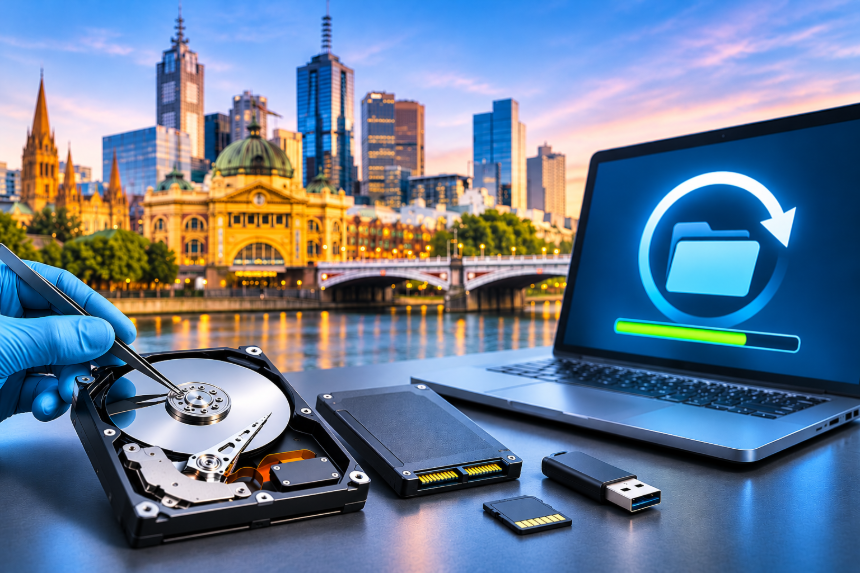

Common Hard Drive Data Loss Problems in Melbourne and How to Recover Your Data?
Learn about common hard drive data loss issues in Melbourne, including accidental deletion, hardware failure, file corruption, and malware attacks. Discover effective recovery methods and how professional data recovery services can help restore your important files safely.
Data loss rarely announces itself. One morning the laptop won’t start, an external drive asks to be formatted, or a folder that was there yesterday is simply gone. If that’s you, you’re not alone, and your files may be safer than they look.
This article walks through the most common hard drive problems Melbourne homes and offices run into, what each one means, and what you can realistically do about it. If you need hard drive recovery Melbourne providers can deliver, knowing the cause helps you act faster and spend less.
What are the most common causes of hard drive data loss?
Most cases fall into a few groups: accidental deletion or formatting, file system corruption, mechanical failure, electrical damage, water or fire exposure, and malware. Some drives fail gradually, with bad sectors creeping in over months. Others die in a second after a drop or a power spike. The symptoms differ, and so does the right response.
Why does my hard drive click or make strange noises?
Clicking usually means the read and write heads can’t find the data or have become stuck. Grinding can mean a head is touching the platter surface. A drive that spins up and down repeatedly may have a motor or power problem.
These are mechanical faults, and the key advice is simple: switch the drive off. Each extra power cycle can scratch the platters further. Fixing this properly needs a cleanroom, because even tiny dust particles can destroy a damaged drive.
Why is my external drive not showing up?
Start with the easy checks. Try a different cable, a different USB port and another computer. Many “dead” external drives turn out to have a faulty cable or a failing enclosure board.
If the drive appears but asks you to initialise or format it, say no. Those prompts usually point to a damaged partition or file system, and agreeing can overwrite the structure that a recovery depends on.
Can you recover files after accidental deletion or formatting?
Frequently, yes. When you delete a file, the data often stays on the disk until something new is written over it. A quick format works in much the same way. The catch is time: the more you use the drive afterwards, the lower your chances get.
SSDs are trickier. A feature called TRIM clears deleted data in the background, which can make recovery harder. Stop using the device straight away and don’t save anything new to it.
What happens after a power surge, water or fire damage?
Electrical surges often burn out the circuit board while the platters stay perfectly fine. That’s good news, because the data may be intact behind a damaged board.
With water or fire, don’t plug the drive in to “see if it works.” Don’t dry it with a hairdryer or leave it in rice either. Both can make corrosion and short circuits worse. Seal the drive in a bag and get it assessed quickly.
How can you recover your data safely?
Follow this order:
- Stop using the drive and disconnect it.
- Work out what happened. Was it a drop, a surge, a deletion, or sudden noises?
- For a logical problem on a healthy drive, recovery software installed on a different drive may help.
- For anything physical, or if the drive makes noise, don’t experiment. Get a professional diagnosis.
Free tools have their place, but they can’t repair hardware. Used on a failing drive, they often do more harm than good. For serious cases, specialist hard drive recovery Melbourne service are the safer route, because a lab will image the drive first and then work on the copy, which protects the original.
When should you call a professional?
Call a hard drive recovery Melbourne lab if the drive clicks or isn’t detected, if it’s been exposed to water, fire or impact, if the data is business critical, or if a previous recovery attempt has already failed. RAID and NAS systems also deserve expert handling, since one wrong move can scramble the array.
When you search formelbourne data recovery, compare how each provider explains its diagnosis, not just what it charges.
What should you look for in a provider?
When comparing hard drive recovery Melbourne providers, choose someone who diagnoses before quoting and puts the quote in writing. Ask about cleanroom facilities and how your data is kept confidential. Look for honest answers about what’s realistic, because a provider that promises 100% results before seeing the drive isn’t being straight with you. A trusted melbourne data recovery provider will also return your files on new media and explain what was and wasn’t recovered.
How can you stop it happening again?
Keep three copies of important files, on two types of storage, with one stored offsite or in the cloud. Use a surge protector, replace drives that are getting old, and take warning signs seriously. A backup you’ve never tested isn’t really a backup, so open a few files from it every few months.
FAQs
Can data be recovered from a formatted drive?
Frequently. A quick format usually clears the index, not the files themselves. The more you write to the drive afterwards, the lower your chances, so stop using it straight away.
Does a clicking hard drive mean my data is gone?
Not necessarily. Clicking points to a mechanical fault, and the platters may still hold your files. Power it off, because every extra start-up risks scratching them.
Why does my drive say it needs formatting when I plug it in?
That message usually means the file system or partition is damaged. Don’t click format. Disconnect the drive and have it assessed first.
Lost data? Get it assessed early
If your drive has failed, the sooner it’s looked at, the better your odds. Read about our hard drive recovery Melbourne service or browse the wider melbourne data recovery options to find the right fit for your situation.




For Beginners Best Makeup Schools in Singapore
For Beginners Best Makeup Schools in Singapore
