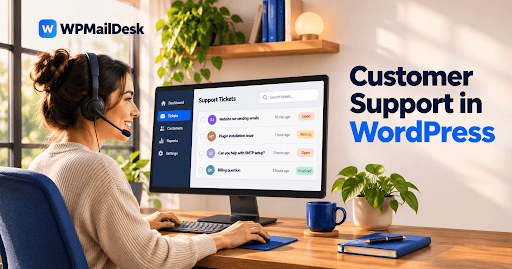

Managing customer support requests can become difficult when a business receives multiple tickets every day. Some issues need immediate attention, while others can wait for a few hours or days. Without a clear system, support agents may struggle to identify which requests should be handled first. This is where a Support Ticket Plugin can make a difference by allowing businesses to assign priorities to customer tickets.
Ticket priority helps support teams organize their workload, respond to urgent problems, and provide better customer service. Depending on the plugin's features, administrators and support agents can assign priority levels manually or use automated rules.
What Is Ticket Priority in WordPress Support?
Ticket priority is a feature that indicates how urgently a customer request needs attention. It helps support agents understand which issues require an immediate response and which can be handled during regular working hours.
For example, a customer who cannot access an account may need faster assistance than someone asking a general product question.
A WordPress support system may offer several priority levels, including:
- Low: General questions and non-urgent requests.
- Normal: Standard customer support inquiries.
- High: Issues affecting important services or customer activities.
- Urgent: Critical problems that require immediate attention.
These levels help teams organize tickets and avoid overlooking important requests.
Can a Support Ticket Plugin Assign Ticket Priority?
Yes, many WordPress support ticket plugins provide ticket priority management. However, the available options depend on the specific plugin and its features.
With a suitable plugin, administrators or authorized support agents can select a priority level when creating or updating a ticket. The selected priority is then displayed in the support dashboard, making it easier to identify important requests.
Some plugins also allow customers to select a priority when submitting a support request. Administrators can review the selected level and adjust it when necessary.
This flexibility helps businesses manage different types of customer issues more effectively.
How Does Ticket Priority Assignment Work?
The process is generally straightforward. When a customer submits a support request, the ticket appears in the WordPress dashboard.
An administrator or support agent can open the ticket and choose an appropriate priority level from the available options.
For example, consider an online store that receives three support requests:
- A customer needs help updating their profile.
- Another customer reports a payment problem.
- A third customer cannot complete an order.
The support team can assign normal priority to the profile question and higher priority to the payment and ordering problems.
Once assigned, agents can use priority information to organize their daily workload.
Can Customers Select Ticket Priority?
Some WordPress support ticket plugins allow customers to select priority while submitting their tickets through a support form.
This feature gives customers an opportunity to explain how urgently they need assistance. However, customer-selected priorities should not always determine the final order of support.
For example, a customer might mark a general question as urgent even when it does not require immediate attention. Support agents should review the request and adjust its priority according to its actual importance.
This approach keeps the priority system useful and prevents unnecessary confusion.
Can Administrators Change Ticket Priority?
Yes, plugins that support priority management generally allow administrators to update ticket priorities.
Customer issues can change over time. A normal support request might become urgent if it starts affecting an important business operation.
Administrators can review the ticket details and change its priority when necessary. Support agents with suitable permissions may also have access to this option.
Changing priorities helps teams respond to developing problems without creating unnecessary duplicate tickets.
How Does Ticket Priority Improve Customer Support?
A clear priority system offers several practical benefits for businesses.
Better workload management: Agents can identify important requests instead of treating every ticket equally.
Faster responses: Urgent customer issues can receive attention before less important inquiries.
Improved organization: Priority labels make it easier to sort and review support requests.
Team coordination: Support agents can understand which tickets require attention and plan their work accordingly.
Customer satisfaction: Resolving important problems quickly can improve the overall support experience.
These benefits make priority management particularly useful for businesses handling a large number of customer requests.
Can Ticket Priority Work With Other Support Features?
Ticket priority becomes more useful when combined with other help desk features.
For example, ticket assignment allows administrators to send important requests to the appropriate support agents. Notifications can alert agents when urgent tickets arrive or when an existing ticket receives an update.
Some systems also provide ticket filtering, status management, departments, and response tracking.
When these features work together, support teams can organize requests more effectively and maintain a consistent support process.
What Should You Consider When Choosing a Support Ticket Plugin?
Before installing a WordPress support solution, check whether it provides the priority management options your business needs.
Consider the following factors:
- Different priority levels for customer requests.
- Easy priority updates from the dashboard.
- Clear priority labels for support agents.
- Permission settings for administrators and agents.
- Ticket filtering based on priority.
- Notifications for important support requests.
Also, check whether these features are included in the free version or require a paid plan.
Conclusion
A Support Ticket Plugin can help WordPress businesses assign ticket priorities and manage customer requests more efficiently. Priority levels allow support teams to distinguish urgent problems from routine questions, organize their workload, and focus on issues that need immediate attention.
By combining ticket priority with assignment, notifications, and status management, businesses can create a more organized customer support process. Choosing a plugin with practical priority management features can make handling customer inquiries easier as the business grows.