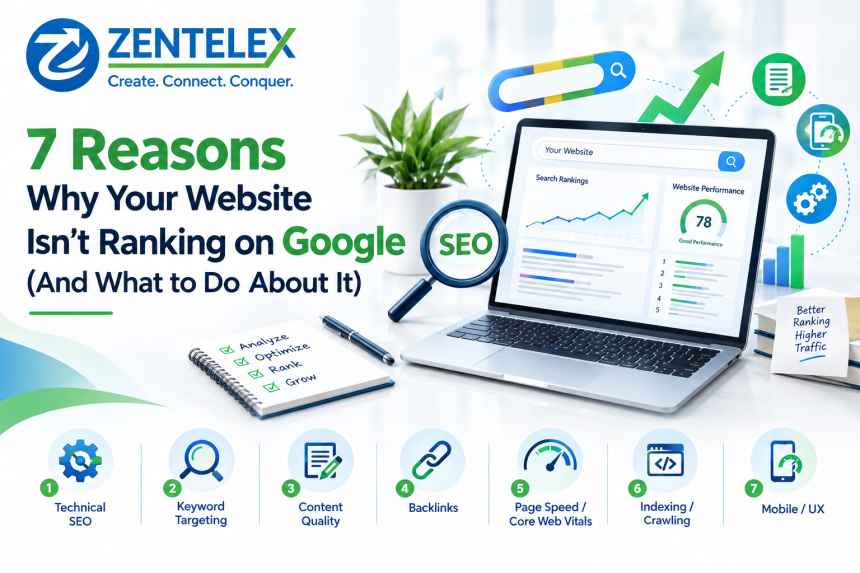

7 Reasons Why Your Website Isn't Ranking on Google (And What to Do About It)
Website not ranking on Google? Discover 7 real reasons, expert fixes, and SEO friendly web design tips from a trusted web designing company.
If your website isn't ranking on Google, it's almost always one (or more) of seven things: thin or duplicate content, poor technical SEO, slow page speed, weak backlinks, bad on-page optimization, mismatched search intent, or a website design that isn't SEO friendly. Fix these systematically, and rankings improve — usually within 60–90 days.Below, we break down each cause, how to diagnose it, and exactly what to do about it — whether you're fixing it yourself or working with a web designing company.
Why Is My Website Not Ranking on Google?Your website isn't ranking because Google either can't properly crawl and understand it, doesn't see it as trustworthy or relevant enough compared to competitors, or it fails to satisfy what the searcher actually wants. Ranking isn't about one fix — it's the combined result of technical health, content quality, backlinks, and user experience.Here are the seven most common culprits, in order of how often they show up in real website audits.
1. Your Website Has Technical SEO IssuesQuick answer: If Google can't crawl or index your pages properly, they can't rank — no matter how good the content is.Common technical blockers include:Pages blocked by robots.txt or a stray noindex tagBroken internal links and orphan pagesMissing or duplicate XML sitemapsNo SSL certificate (non-HTTPS URLs)Duplicate content across multiple URLsFix it: Run your site through Google Search Console's Page Indexing report. Any page marked "Crawled – currently not indexed" or "Excluded" needs immediate attention.
2. Your Site Is Too Slow (Poor Core Web Vitals)Quick answer: Page speed and Core Web Vitals (LCP, INP, CLS) are direct Google ranking factors, and slow sites also lose visitors before they even see your content.Core Web VitalWhat It MeasuresGood ScoreLCP (Largest Contentful Paint)Loading speed of main contentUnder 2.5sINP (Interaction to Next Paint)Responsiveness to clicks/tapsUnder 200msCLS (Cumulative Layout Shift)Visual stability while loadingUnder 0.1Fix it: Compress images, enable browser caching, use a CDN, and minify CSS/JavaScript. This is exactly where an experienced web designing company earns its fee — speed optimization requires code-level and hosting-level changes most business owners can't do themselves.
3. Your Content Doesn't Match Search IntentQuick answer: Google ranks pages that best answer what a searcher actually wants — not just pages that contain the keyword.There are four intent types:Informational – "how to improve website SEO"Navigational – searching for a specific brand or siteCommercial – "best web designing company near me"Transactional – "hire SEO friendly web design services"If you're targeting a transactional keyword with a purely educational blog post (or vice versa), Google won't rank you for it — no matter how well-written the content is.Fix it: Google the exact keyword you're targeting and study the top 5 results. Match their format (list, guide, service page, comparison) before you match their depth.
4. Your Website Isn't SEO Friendly by DesignQuick answer: A visually appealing website can still fail at SEO if its underlying structure — code, navigation, mobile responsiveness — isn't built for search engines.Signs your design is holding you back:Heavy use of images/Flash instead of crawlable textNo clear heading hierarchy (H1, H2, H3)Non-responsive or mobile-unfriendly layoutConfusing navigation and deep click-depth to key pagesMissing schema/structured data markup
Fix it: SEO friendly web design bakes optimization into the build — clean code, semantic HTML, fast-loading themes, and mobile-first layouts — rather than trying to patch SEO on afterward. This is a foundational reason businesses increasingly search for a web designing company that treats SEO as part of design, not an add-on.Accessibility matters here too. The U.S. Department of Justice's ADA web guidance notes that accessible design — proper headings, alt text, and readable structure — benefits all users, and these same elements (clean headings, descriptive alt text, logical structure) are exactly what search engines use to understand your content (ADA.gov web guidance).
5. You Have Few or Low-Quality BacklinksQuick answer: Backlinks remain one of Google's strongest trust signals — a handful of links from relevant, authoritative sites outperforms hundreds of spammy ones.Backlink TypeImpact on RankingEditorial links from industry sitesHigh positive impactDirectory/citation links (relevant, moderated)Moderate positive impactGuest post links (quality publications)Moderate to high impactPaid/spammy link farmsNegative — risk of penaltyFix it: Focus on earning links through original data, expert guest contributions, and digital PR — not bulk directory submissions.
6. Your On-Page SEO Basics Are MissingQuick answer: Title tags, meta descriptions, header tags, and internal linking are small details that compound into major ranking differences.Checklist for every page:Primary keyword in the title tag, ideally near the frontUnique meta description with a clear reason to clickOne H1 per page, logically nested H2/H3 subheadingsDescriptive alt text on all images3–5 internal links to related pages
7. Your Website Is New or Recently PenalizedQuick answer: New domains face a natural "trust-building" period, while penalized sites need recovery work before rankings return.If your traffic dropped suddenly, check Google Search Console's Manual Actions report first. If it's clean, the drop is likely algorithmic (e.g., a core update) rather than a penalty, and recovery is about improving overall quality rather than "undoing" one mistake.
Quick Comparison: 7 Ranking Problems at a Glance#ProblemFastest FixWho Should Handle It1Technical SEO errorsFix indexing issues in Search ConsoleDeveloper/SEO specialist2Slow site speedCompress images, use CDNWeb designing company3Intent mismatchRewrite content to match SERP formatContent/SEO writer4Poor SEO friendly designRebuild with semantic HTML, mobile-firstWeb designing company5Weak backlinksDigital PR, guest postingSEO/outreach specialist6Missing on-page basicsOptimize titles, meta, headersContent/SEO writer7New/penalized domainAudit manual actions, build authoritySEO specialist
How Can I Fix My Website's Google Ranking Fast?Audit first — Use Google Search Console and a crawler (Screaming Frog, Ahrefs) to find indexing and technical errors.Fix speed issues — Target sub-2.5-second load times on mobile.Align content with intent — Match format, depth, and angle to what's already ranking.Strengthen on-page SEO — Titles, meta descriptions, headers, internal links.Earn quality backlinks — Prioritize relevance and authority over volume.Monitor monthly — Rankings shift with algorithm updates; treat SEO as ongoing, not one-time.
Should You Hire a Web Designing Company or Fix It Yourself?DIY makes sense if: you have one or two clear technical issues, basic WordPress/CMS familiarity, and time to learn Search Console.Hiring a web designing company makes sense if: your issues span design, code, and speed together, you lack in-house development resources, or you need SEO friendly web design built into a rebuild rather than patched on later.Most businesses with genuinely poor rankings have overlapping problems — slow speed and weak structure and missing schema — which is why a combined design-and-SEO approach usually resolves things faster than fixing one issue at a time.
Final TakeawayA website that isn't ranking on Google is rarely broken in one place — it's usually a combination of technical gaps, weak on-page optimization, and design that wasn't built with SEO in mind. Start with a full audit, fix technical and speed issues first, then layer in content and backlink improvements. If the problems run deep into your site's structure, partnering with a web designing company that builds SEO friendly web design from the ground up will save months of trial and error.
Bagasse Pulp Price Trend Q2 2026 | Price Trends, Forecast, Chart, Pric...

Lakshay Choudhary
4 minutes ago



Online Slot Game: A total Guidebook for you to Capabilities, Game play...
Online Slot Game: A total Guidebook for you to Capabilities, Game play, along with Tricks...

btgvbrf
22 minutes ago
How to Choose the Right Plastic Surgeon in Chicago, IL
Choosing to undergo plastic surgery is a personal decision that deserves careful thought,...

amanda dixon
29 minutes ago